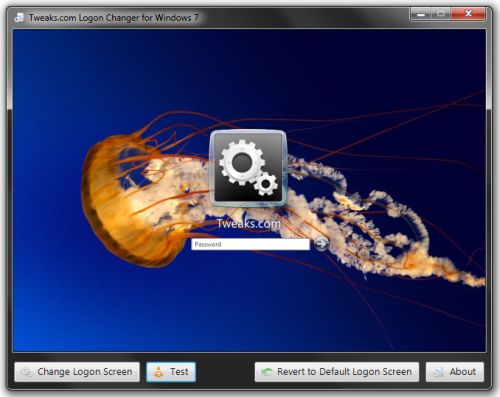
 Microsoft supports customizing or creating your own desktops, screensavers, font types, sizes and many other things. This is an easy way to customize the Logon screen that appears during start up of windows.
Follow these simple steps :
Step 1: Open the Windows Start menu and enter regedit into the search bar.
Step 2: Right click on HKEY_LOCAL_MACHINE and select Find.
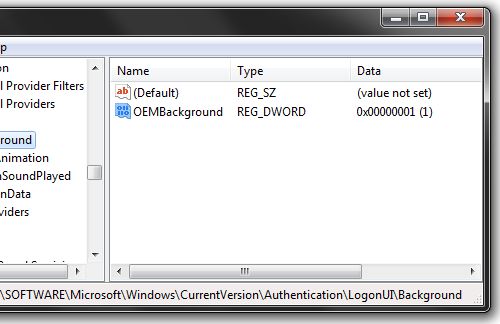
Step 3: Search for OEMBackground, which should be in Computer\HKEY_LOCAL_MACHINE\SOFTWARE\Microsoft\Windows\CurrentVersion\Authentication\LogonUI\Background. If the key does not exist, add a new DWORD value with the name OEMBackground.
Step 4: Double click on the entry OEMBackground, and change the value from 0 to 1.
Step 5: Open Windows Explorer and go to the following path: %windir%\system32\oobe.
Step 6: Create a new folder named info, and open it.
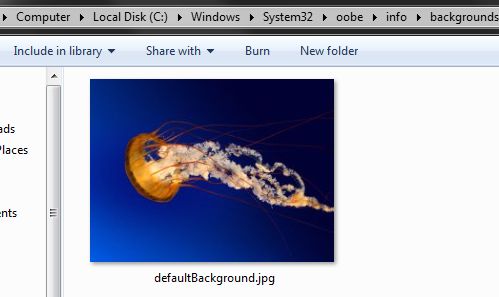
Step 7: Create a new folder within info named backgrounds.
Step 8: Rename your desired wallpaper as backgroundDefault.jpg and place it inside the folder backgrounds (images must be less than 245KB in size).
That should do the trick, now just lock your PC, log off or reboot and enjoy.

No comments:
Post a Comment
Post Your Comments Here! Please don't forget to mention your name and e-mail address.